
After-Tax Return Calculator Excel Template
After-Tax Return Calculator Excel Template
Interactive Excel Financial Model
Download, customize, and integrate into your own analysis
What's Included
- Interactive financial model with live Excel formulas
- All formulas visible and fully editable
- Professional formatting with color-coded inputs & outputs
- Formula reference sheet with variable definitions
- Step-by-step instructions sheet
- Compatible with Microsoft Excel 2016 and later
Download Template
Price range: $0.00 through $20.00
After-Tax Return Calculator spreadsheet. Compare annual accrual vs deferred capital gains tax regimes. Calculate tax drag and after-tax CAGR. Free download.
Online Calculator vs Excel Template
| Feature | Online | Excel |
|---|---|---|
| Instant use — no download | ✓ | — |
| Works offline | — | ✓ |
| Customize formulas & layout | — | ✓ |
| Save & share with colleagues | — | ✓ |
| Integrate into your own models | — | ✓ |
| Print-ready formatting | — | ✓ |
Wharton Online
Applied Value Investing Certificate
Learn fundamental analysis and equity valuation from Wharton Online.
- Wharton Online curriculum
- DCF & comparable analysis
- Equity research methodology
Use the discount code shown above for up to $500 off
 via
via

About This Template
The After-Tax Return Calculator Excel Template quantifies how taxes erode investment returns over time under two distinct tax regimes. Whether you're comparing a taxable brokerage account against a tax-deferred retirement account, evaluating the cost of active trading versus buy-and-hold investing, or illustrating the compounding advantage of tax deferral, this spreadsheet provides the exact numbers with full formula visibility.
What You Can Calculate
This template computes 7 key outputs across both Annual Accrual and Deferred Capital Gains regimes:
- Pre-Tax Terminal Value — The hypothetical final portfolio value if no taxes were paid, establishing the maximum wealth ceiling for comparison.
- After-Tax Terminal Value — Actual final wealth after taxes, calculated using either the annual accrual method (taxes reduce the compounding rate each year) or the deferred capital gains method (taxes paid only at sale).
- After-Tax Return — The effective annualized return after accounting for taxes, expressed as a percentage for direct comparison against pre-tax benchmarks.
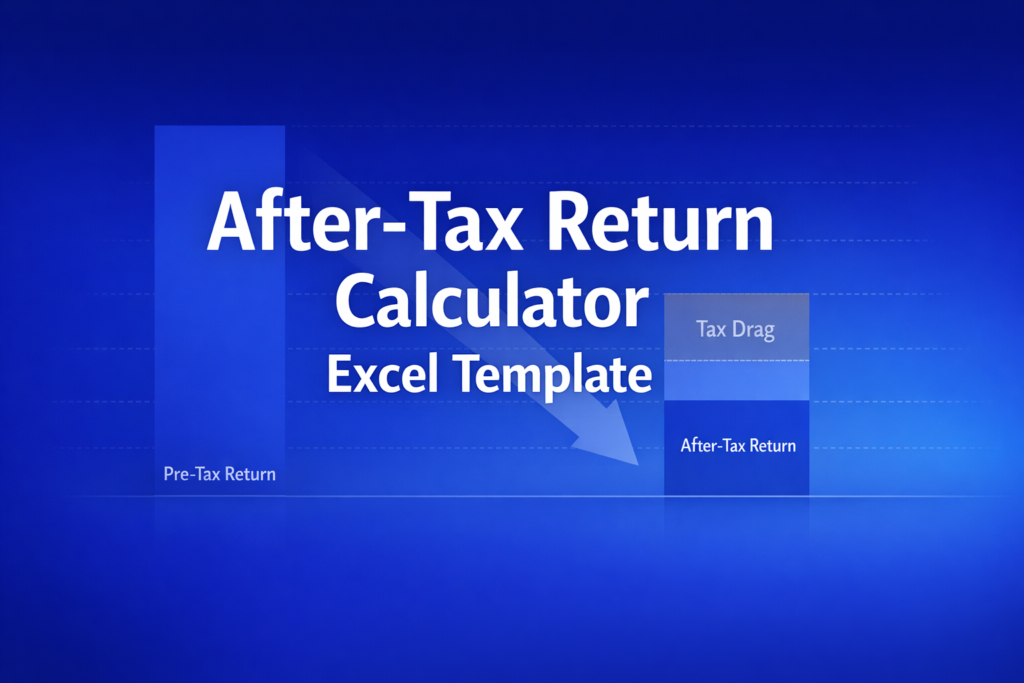
- Tax Drag (%) — The percentage of your pre-tax return lost to taxes. A 30% annual tax rate on an 8% return does not simply reduce it by 30% — compounding amplifies the damage over time.
- Tax Drag ($) — The total dollar amount of wealth destroyed by taxes over the full investment horizon, making the cost of taxes concrete and actionable.
- Pre-Tax Wealth Gain — Total gain before taxes (terminal value minus initial investment), providing the baseline for measuring tax efficiency.
- Effective Tax Rate on Wealth — The actual tax rate applied to wealth accumulation, which under annual accrual can significantly exceed the statutory rate due to the compounding of taxed returns.
Required Inputs
To use this calculator, you'll need:
- Tax Regime — Choose Annual Accrual (taxes paid each year, as with interest income or short-term gains) or Deferred CG (taxes paid only at sale, as with long-term capital gains).
- Pre-Tax Annual Return — Your expected gross return before tax, as a percentage.
- Tax Rate (Annual) — The flat rate applied each year under the Annual Accrual regime (e.g., combined federal and state rate on ordinary income or short-term gains).
- Capital Gains Tax Rate — The rate applied to realized gains at sale under the Deferred CG regime (typically the long-term capital gains rate).
- Cost Basis / Current Value Ratio — For Deferred CG, enter 1.0 for a new investment with no unrealized gains, or a lower value to reflect embedded unrealized appreciation (e.g., 0.60 if cost basis is 60% of current value).
- Investment Horizon — The number of years the investment is held.
- Initial Portfolio Value — Starting investment amount in dollars.
Methodology
Under Annual Accrual, the after-tax return equals the pre-tax return multiplied by (1 − tax rate), and wealth compounds at that reduced rate: FV_AT = V × (1 + r_PT × (1 − t))^n. Under Deferred CG, the full pre-tax return compounds throughout the holding period and taxes are applied only at the end: FV_AT = V × [(1 + r_PT)^n × (1 − t_cg) + t_cg × B], where B is the cost basis ratio. All formulas are visible and editable in the template.
Assumptions
This model assumes:
- Returns are constant each year (no randomness or varying annual returns)
- Tax rates are constant over the investment horizon
- No tax-loss harvesting, asset location optimization, or estate tax considerations
- Deferred CG model assumes a single liquidation event at the end of the horizon
For educational purposes only. Not financial advice.
Frequently Asked Questions
Use the Tax Regime dropdown to switch between Annual Accrual and Deferred CG. For scenario analysis, save multiple copies of the workbook with different assumptions, or add columns to compare side-by-side. All formulas are unlocked so you can extend the model.
Yes. Run separate scenarios for taxable brokerage (Annual Accrual), tax-deferred 401(k)/IRA (use 0% during accumulation), and Roth accounts (0% if qualified). Compare terminal values across account types to optimize asset location.
For Deferred CG regime, adjust the Cost Basis Ratio to reflect your embedded gains. For example, if your $100,000 portfolio has a $60,000 cost basis, enter 0.60. This captures the deferred tax liability that will be realized at sale.
A fully interactive financial model with live Excel formulas, an Instructions sheet with usage guide, and a Formula Reference sheet with variable definitions and model assumptions. All formulas are visible and editable.
Microsoft Excel 2016 or later. The template uses standard Excel formulas only — no macros, VBA, or add-ins required.
Yes. All cells are fully editable. You can modify any formula, add your own calculations, change formatting, or integrate the model into your existing spreadsheets.
The online calculator runs in your browser for quick calculations. This Excel template gives you a portable, offline financial model you can customize, save, share with colleagues, and integrate into your own analysis.
This template is provided for educational and personal use. You may use it in your own professional analysis and presentations. Redistribution or resale of the template itself is not permitted.
You can re-download the latest version from your account or by requesting a new download link. Free downloads are limited to 5 per email address per month.

