
Project Life Cover Ratio (PLCR) Calculator Excel Template
Project Life Cover Ratio (PLCR) Calculator Excel Template
Interactive Excel Financial Model
Download, customize, and integrate into your own analysis
What's Included
- Interactive financial model with live Excel formulas
- All formulas visible and fully editable
- Professional formatting with color-coded inputs & outputs
- Formula reference sheet with variable definitions
- Step-by-step instructions sheet
- Compatible with Microsoft Excel 2016 and later
Download Template
Price range: $0.00 through $20.00
Professional PLCR calculator Excel template with live formulas. Analyze project finance debt coverage ratios and debt tail metrics.
Online Calculator vs Excel Template
| Feature | Online | Excel |
|---|---|---|
| Instant use — no download | ✓ | — |
| Works offline | — | ✓ |
| Customize formulas & layout | — | ✓ |
| Save & share with colleagues | — | ✓ |
| Integrate into your own models | — | ✓ |
| Print-ready formatting | — | ✓ |
About This Template
Analyze project finance debt service capacity with this professional PLCR Calculator Excel template. Whether you're structuring project debt, assessing covenant headroom, or evaluating refinancing scenarios, this template gives you the same coverage ratio analysis used by infrastructure lenders and project finance advisors.
What You Can Calculate
This template calculates six key project finance metrics:
- Project Life Cover Ratio (PLCR) — Total debt service capacity through end of project life, measuring full recovery potential
- Loan Life Cover Ratio (LLCR) — Debt service capacity during the loan repayment period only
- Debt Tail — Years of cash flow cushion between final debt repayment and project end
- NPV (Full Project) — Present value of all projected CFADS
- NPV (Loan Term) — Present value of CFADS during debt repayment
- Tail NPV — Present value of post-debt cash flows
Required Inputs
Enter your project parameters in the clearly marked input cells:
- Project Life — Total operational years (1-50)
- Loan Term — Years until final debt repayment
- CFADS by Year — Annual Cash Flow Available for Debt Service for each project year
- Discount Rate — Cost of debt for NPV calculations
- Debt Outstanding — Current loan principal balance
Methodology
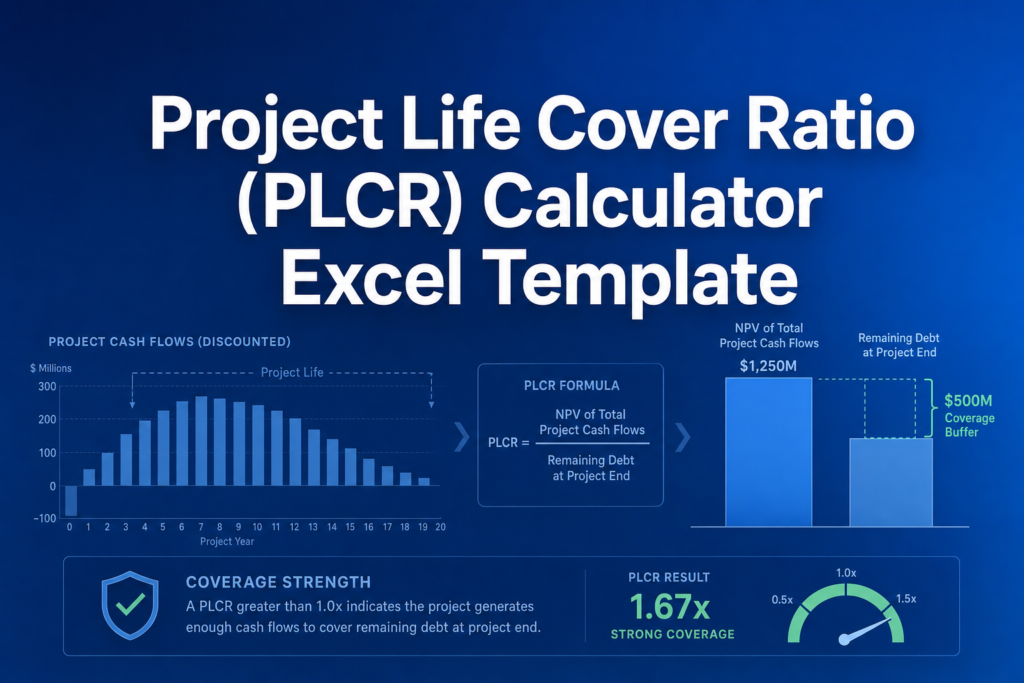
The template uses standard project finance methodology following Yescombe's Principles of Project Finance. PLCR equals the NPV of full project CFADS divided by debt outstanding, while LLCR uses only loan-term cash flows. NPV calculations use end-of-period discounting with annual compounding.
Assumptions
- End-of-period cash flow timing
- Constant discount rate across all periods
- DSRA balance assumed zero
- Single currency (no FX conversion)
Frequently Asked Questions
The template includes 50 input rows for annual CFADS values (one per year). Enter your projected cash flows in the light blue cells - unused years are automatically ignored based on your project life setting. This mirrors professional project finance models where CFADS is entered period-by-period.
Yes. Save multiple copies of the template with different loan terms, debt amounts, or CFADS projections to compare coverage ratios across scenarios. The formulas automatically recalculate when you change inputs.
Use the project's all-in cost of debt financing, including margins and fees. This is typically the weighted average interest rate on all project debt facilities. For sensitivity analysis, try rates +/- 1-2% from your base case.
A fully interactive financial model with live Excel formulas, an Instructions sheet with usage guide, and a Formula Reference sheet with variable definitions and model assumptions. All formulas are visible and editable.
Microsoft Excel 2016 or later. The template uses standard Excel formulas only — no macros, VBA, or add-ins required.
Yes. All cells are fully editable. You can modify any formula, add your own calculations, change formatting, or integrate the model into your existing spreadsheets.
The online calculator runs in your browser for quick calculations. This Excel template gives you a portable, offline financial model you can customize, save, share with colleagues, and integrate into your own analysis.
This template is provided for educational and personal use. You may use it in your own professional analysis and presentations. Redistribution or resale of the template itself is not permitted.
You can re-download the latest version from your account or by requesting a new download link. Free downloads are limited to 5 per email address per month.


