
Degree Day Calculator Excel Template
Degree Day Calculator Excel Template
Interactive Excel Financial Model
Download, customize, and integrate into your own analysis
What's Included
- Interactive financial model with live Excel formulas
- All formulas visible and fully editable
- Professional formatting with color-coded inputs & outputs
- Formula reference sheet with variable definitions
- Step-by-step instructions sheet
- Compatible with Microsoft Excel 2016 and later
Download Template
Price range: $0.00 through $20.00
Calculate HDD and CDD for weather derivatives and energy planning. Includes single-day and cumulative degree day calculations.
Online Calculator vs Excel Template
| Feature | Online | Excel |
|---|---|---|
| Instant use — no download | ✓ | — |
| Works offline | — | ✓ |
| Customize formulas & layout | — | ✓ |
| Save & share with colleagues | — | ✓ |
| Integrate into your own models | — | ✓ |
| Print-ready formatting | — | ✓ |
About This Template
Calculate heating and cooling degree days for weather derivatives, energy planning, and demand forecasting with this professional Excel template. Whether you're hedging energy costs, analyzing utility consumption patterns, or structuring weather derivative contracts, this template provides the same calculations used by CME Group weather contracts.
What You Can Calculate
This template calculates both single-day and cumulative degree day metrics:
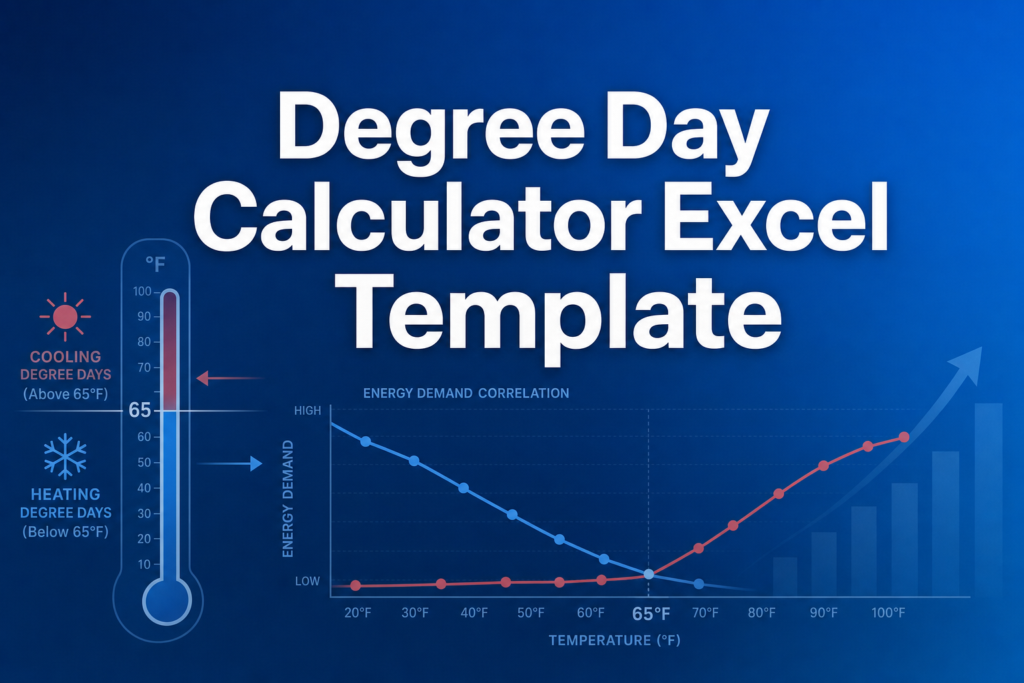
- Heating Degree Days (HDD) — Measures cold weather and heating demand. Higher values indicate colder temperatures requiring more heating energy.
- Cooling Degree Days (CDD) — Measures hot weather and cooling demand. Higher values indicate warmer temperatures requiring more air conditioning.
- Temperature Difference — Shows how far the average temperature deviates from your base temperature.
- Season Type — Automatically identifies whether conditions indicate a heating season, cooling season, or neutral period.
- Cumulative HDD/CDD — Totals over your specified period for weather derivative settlement calculations.
Required Inputs
Enter three simple values to calculate degree days:
- Base Temperature — The reference temperature (typically 65°F) at which no heating or cooling is needed.
- Average Daily Temperature — The mean temperature for the period, usually calculated as (High + Low) / 2.
- Number of Days — For cumulative calculations over multi-day periods (set to 1 for single-day analysis).
Methodology
The template uses the industry-standard degree day formulas specified by CME Group for weather derivative contracts:
- HDD = max(0, Base Temperature − Average Temperature)
- CDD = max(0, Average Temperature − Base Temperature)
HDD and CDD are mutually exclusive — only one can be positive for any given temperature reading.
Assumptions & Limitations
- Standard base temperature is 65°F (18°C) per CME Group specifications
- Cumulative calculations assume constant average temperature across all days
- For educational and planning purposes — actual weather derivative contracts may use different measurement stations or conventions
Frequently Asked Questions
Enter your base temperature, the average daily temperature for the period, and the number of days. The template calculates both single-day HDD/CDD and cumulative totals automatically. This cumulative approach assumes constant temperature across all days—ideal for scenario analysis and planning. For actual derivative settlements, sum daily HDD/CDD observations from weather station data.
Yes. The base temperature input is fully editable. While 65°F is the CME standard, you can test 60°F, 70°F, or any value to see how different base temperatures affect your HDD/CDD calculations.
A fully interactive financial model with live Excel formulas, an Instructions sheet with usage guide, and a Formula Reference sheet with variable definitions and model assumptions. All formulas are visible and editable.
Microsoft Excel 2016 or later. The template uses standard Excel formulas only — no macros, VBA, or add-ins required.
Yes. All cells are fully editable. You can modify any formula, add your own calculations, change formatting, or integrate the model into your existing spreadsheets.
The online calculator runs in your browser for quick calculations. This Excel template gives you a portable, offline financial model you can customize, save, share with colleagues, and integrate into your own analysis.
This template is provided for educational and personal use. You may use it in your own professional analysis and presentations. Redistribution or resale of the template itself is not permitted.
You can re-download the latest version from your account or by requesting a new download link. Free downloads are limited to 5 per email address per month.

