
Annual Debt Service Cover Ratio (ADSCR) Calculator Excel Template
Annual Debt Service Cover Ratio (ADSCR) Calculator Excel Template
Interactive Excel Financial Model
Download, customize, and integrate into your own analysis
What's Included
- Interactive financial model with live Excel formulas
- All formulas visible and fully editable
- Professional formatting with color-coded inputs & outputs
- Formula reference sheet with variable definitions
- Step-by-step instructions sheet
- Compatible with Microsoft Excel 2016 and later
Download Template
Price range: $0.00 through $20.00
Calculate period-by-period ADSCR for project finance debt analysis. Includes covenant breach detection and headroom tracking.
Online Calculator vs Excel Template
| Feature | Online | Excel |
|---|---|---|
| Instant use — no download | ✓ | — |
| Works offline | — | ✓ |
| Customize formulas & layout | — | ✓ |
| Save & share with colleagues | — | ✓ |
| Integrate into your own models | — | ✓ |
| Print-ready formatting | — | ✓ |
About This Template
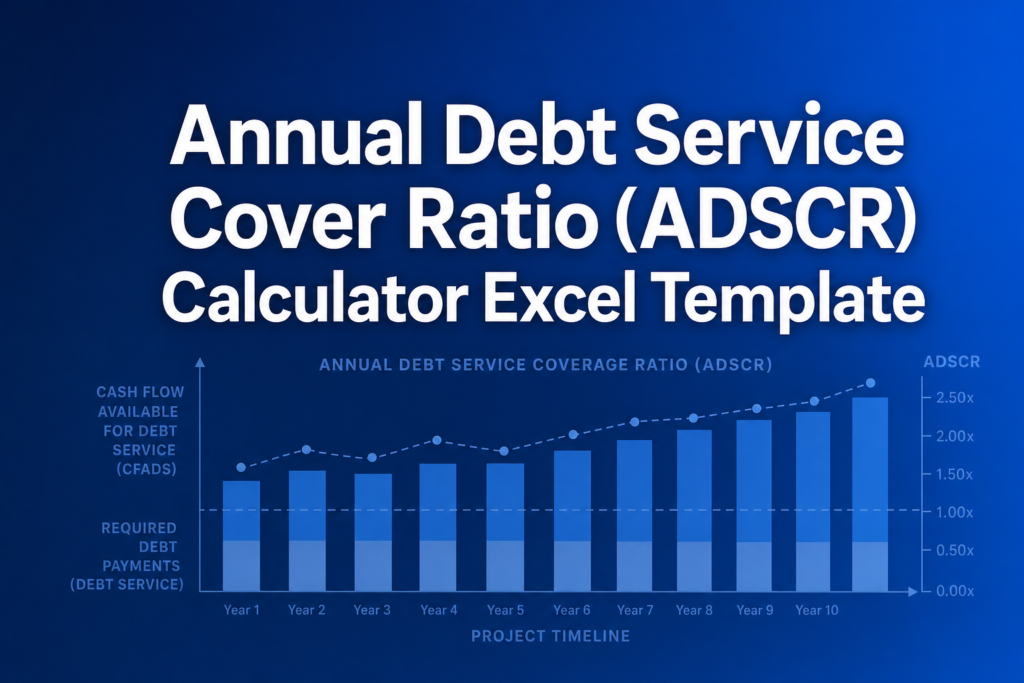
Analyze project finance debt coverage with this ADSCR Excel Template. The Annual Debt Service Cover Ratio measures whether your project generates sufficient cash flow to meet scheduled debt payments. This template calculates ADSCR period-by-period, identifies covenant breaches, and shows headroom for each year of your debt tenor.
What You Can Calculate
This template provides comprehensive debt service coverage analysis:
- Period-by-Period ADSCR — Coverage ratio for each year of your debt schedule, calculated as CFADS divided by debt service
- Covenant Headroom — How much cushion (or shortfall) exists above your minimum ADSCR requirement for each period
- Minimum ADSCR — The binding constraint period that determines your maximum debt capacity
- Average ADSCR — Mean coverage across all periods for overall debt serviceability
- Breach Detection — Automatic flagging of periods falling below your covenant threshold
Required Inputs
Enter the following for each period of your debt schedule:
- CFADS — Cash Flow Available for Debt Service (post-tax, post-capex project cash flow)
- Interest Payments — Scheduled interest on senior debt
- Principal Repayments — Scheduled principal amortization
- Covenant Threshold — Your minimum required ADSCR (typically 1.10x-1.40x)
Methodology
ADSCR is calculated using the standard project finance formula:
ADSCR = CFADS / (Interest + Principal)
Unlike real estate DSCR (which uses NOI), project finance ADSCR uses CFADS because it accounts for taxes, working capital requirements, and maintenance capex — providing a more accurate picture of cash available to service debt.
Assumptions & Limitations
- All monetary values should be entered in consistent units (e.g., thousands or millions)
- CFADS assumes post-tax, post-maintenance-capex cash flow
- Template includes 10 periods by default; additional periods can be added by copying rows
- For educational purposes only — not a substitute for professional financial advice
Frequently Asked Questions
Unprotect the Calculator sheet (right-click tab > Unprotect Sheet), then insert new rows following the pattern. Copy an existing period's CFADS/Interest/Principal input row and its ADSCR/Headroom output row. Update the formulas in the Summary Statistics section to include the new period cells.
Negative headroom indicates a covenant breach u2014 the ADSCR for that period falls below the covenant threshold. Review the CFADS and debt service inputs for that period. In practice, breaches trigger remediation mechanisms such as cash lock-up or reserve account drawdowns.
A fully interactive financial model with live Excel formulas, an Instructions sheet with usage guide, and a Formula Reference sheet with variable definitions and model assumptions. All formulas are visible and editable.
Microsoft Excel 2016 or later. The template uses standard Excel formulas only — no macros, VBA, or add-ins required.
Yes. All cells are fully editable. You can modify any formula, add your own calculations, change formatting, or integrate the model into your existing spreadsheets.
The online calculator runs in your browser for quick calculations. This Excel template gives you a portable, offline financial model you can customize, save, share with colleagues, and integrate into your own analysis.
This template is provided for educational and personal use. You may use it in your own professional analysis and presentations. Redistribution or resale of the template itself is not permitted.
You can re-download the latest version from your account or by requesting a new download link. Free downloads are limited to 5 per email address per month.

