
Variance Swap Calculator Excel Template
Variance Swap Calculator Excel Template
Interactive Excel Financial Model
Download, customize, and integrate into your own analysis
What's Included
- Interactive financial model with live Excel formulas
- All formulas visible and fully editable
- Professional formatting with color-coded inputs & outputs
- Formula reference sheet with variable definitions
- Step-by-step instructions sheet
- Compatible with Microsoft Excel 2016 and later
Download Template
Price range: $0.00 through $20.00
Educational Excel template for variance swap fair strikes using a simplified approximation. Enter ATM vol, skew, and market rates to calculate fair variance and swap values.
Online Calculator vs Excel Template
| Feature | Online | Excel |
|---|---|---|
| Instant use — no download | ✓ | — |
| Works offline | — | ✓ |
| Customize formulas & layout | — | ✓ |
| Save & share with colleagues | — | ✓ |
| Integrate into your own models | — | ✓ |
| Print-ready formatting | — | ✓ |
About This Template
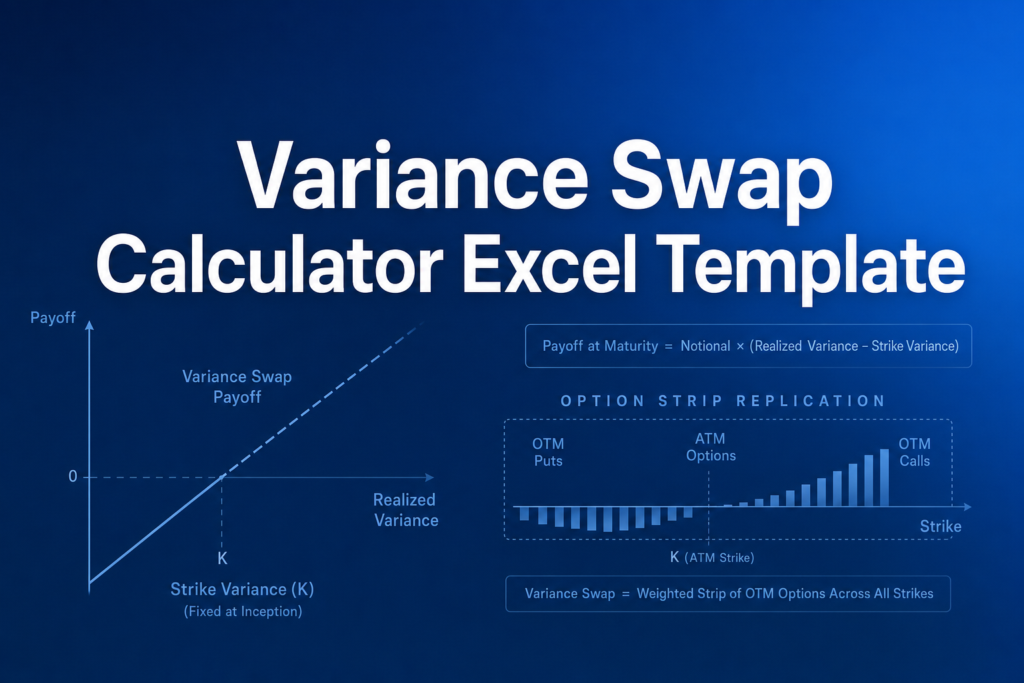
Calculate fair variance swap strikes with this educational Excel template. Variance swaps are derivatives that pay the difference between realized variance and a fixed strike variance, multiplied by a notional amount. This template helps you understand the core mechanics using a simplified closed-form approximation.
What You Can Calculate
Enter market parameters and instantly see:
- Fair Variance Strike — The break-even variance level for a new swap, expressed as (vol%)² × 100
- Fair Volatility Strike — Square root of fair variance, as an annualized percentage
- Forward Price — The underlying's forward price used in replication
- Swap Value — Mark-to-market value for an existing position (enter your fixed variance rate)
Required Inputs
You'll need: spot price, risk-free rate, dividend yield, time to maturity, ATM implied volatility, and volatility skew (25-delta put minus call vol). For existing swaps, also enter the fixed variance rate.
Methodology
This template uses a simplified approximation: E[V] ≈ σ²_ATM + skew²/12. The full Hull Chapter 26 methodology replicates variance using a strip of out-of-the-money options, which the online calculator implements. This Excel is ideal for learning the concepts; use the online version for production estimates.
Assumptions & Limitations
- Simplified closed-form approximation (not full 21-strike replication)
- Results will differ from the online calculator, especially with non-zero skew
- Approximation is symmetric in skew sign; real markets are not
- Continuous compounding assumed
Frequently Asked Questions
This Excel template uses a simplified closed-form approximation: E[V] u2248 u03c3u00b2_ATM + skewu00b2/12. The online calculator uses full Hull Ch. 26 replication with 21 strikes and Black-Scholes pricing. The difference can be significant (10-20%) with non-zero skew. For production estimates, use the online calculator; this Excel is for learning the concepts.
Use this Excel for: (1) understanding variance swap mechanics, (2) quick back-of-envelope estimates with zero skew, (3) building intuition about how inputs affect fair variance. Use the online calculator for: production-grade fair strikes, analyzing skew impact, or when accuracy matters.
The full replication requires pricing ~21 options across the strike range with Black-Scholes and summing (u0394K/Ku00b2) u00d7 Q(K). This can be done in Excel with helper rows/columns but adds significant complexity. The approximation formula captures the key insight that fair variance exceeds u03c3u00b2_ATM when skew is present.
A fully interactive financial model with live Excel formulas, an Instructions sheet with usage guide, and a Formula Reference sheet with variable definitions and model assumptions. All formulas are visible and editable.
Microsoft Excel 2016 or later. The template uses standard Excel formulas only — no macros, VBA, or add-ins required.
Yes. All cells are fully editable. You can modify any formula, add your own calculations, change formatting, or integrate the model into your existing spreadsheets.
The online calculator runs in your browser for quick calculations. This Excel template gives you a portable, offline financial model you can customize, save, share with colleagues, and integrate into your own analysis.
This template is provided for educational and personal use. You may use it in your own professional analysis and presentations. Redistribution or resale of the template itself is not permitted.
You can re-download the latest version from your account or by requesting a new download link. Free downloads are limited to 5 per email address per month.

